Insurance Guide
How to Manage Insurance Policy Renewals: Best Practices for Insurance Agents
Managing insurance policy renewals becomes difficult when an agent has dozens or hundreds of policies with different expiry dates, premiums, insurers, and client requirements.
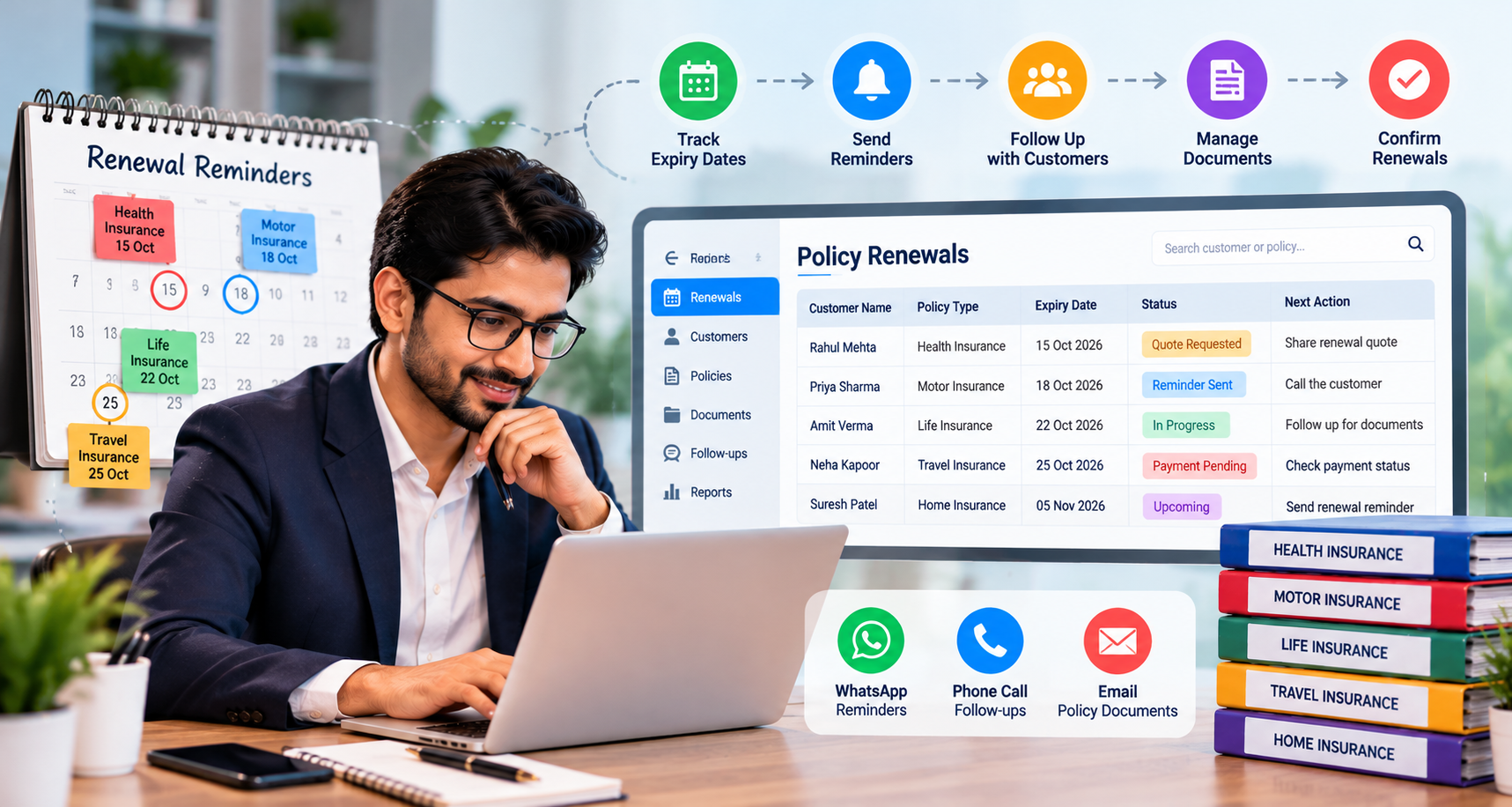
The best way to manage insurance policy renewals is to keep every policy in one organized system, track upcoming expiry dates, contact clients well in advance, follow up consistently, and confirm the renewal instead of simply sending a reminder.
For agents handling a growing client base, insurance management software can make this process much easier by bringing policy records, renewal tracking, reminders, documents, and customer follow-ups together.
Why Insurance Policy Renewals Need a Proper System
For an insurance agent, selling a policy is only one part of the relationship. Renewals are where long-term client relationships and recurring business are built.
The problem is that renewal dates rarely arrive one at a time.
One client's health insurance may expire this week. Another client's motor policy may be due next month. A life insurance renewal may require a different follow-up altogether.
When these details are managed through notebooks, spreadsheets, phone contacts, or scattered WhatsApp conversations, it becomes easy to miss an important date.
A missed renewal can mean more than a missed follow-up. It may result in a policy lapse, an unhappy customer, lost business, and additional work trying to recover the relationship.
A structured insurance policy management process helps agents stay ahead instead of reacting after a policy has already expired.
1. Keep Every Policy in One Place
Store all policy details in one system, including:
- Customer and insurer details
- Policy number and type
- Premium and expiry date
- Renewal status
- Policy documents
- Follow-up history
Keeping everything together makes insurance renewal tracking easier and reduces the chance of missing a renewal.
With Insuraa CRM software agents can manage customer details, policies, documents, premiums, and renewal dates from one place.
2. Start Renewal Follow-Ups Early
A renewal reminder sent too late can leave customers with little time to act. Start follow-ups early enough to answer questions, collect documents, and resolve payment issues.
A simple schedule could be:
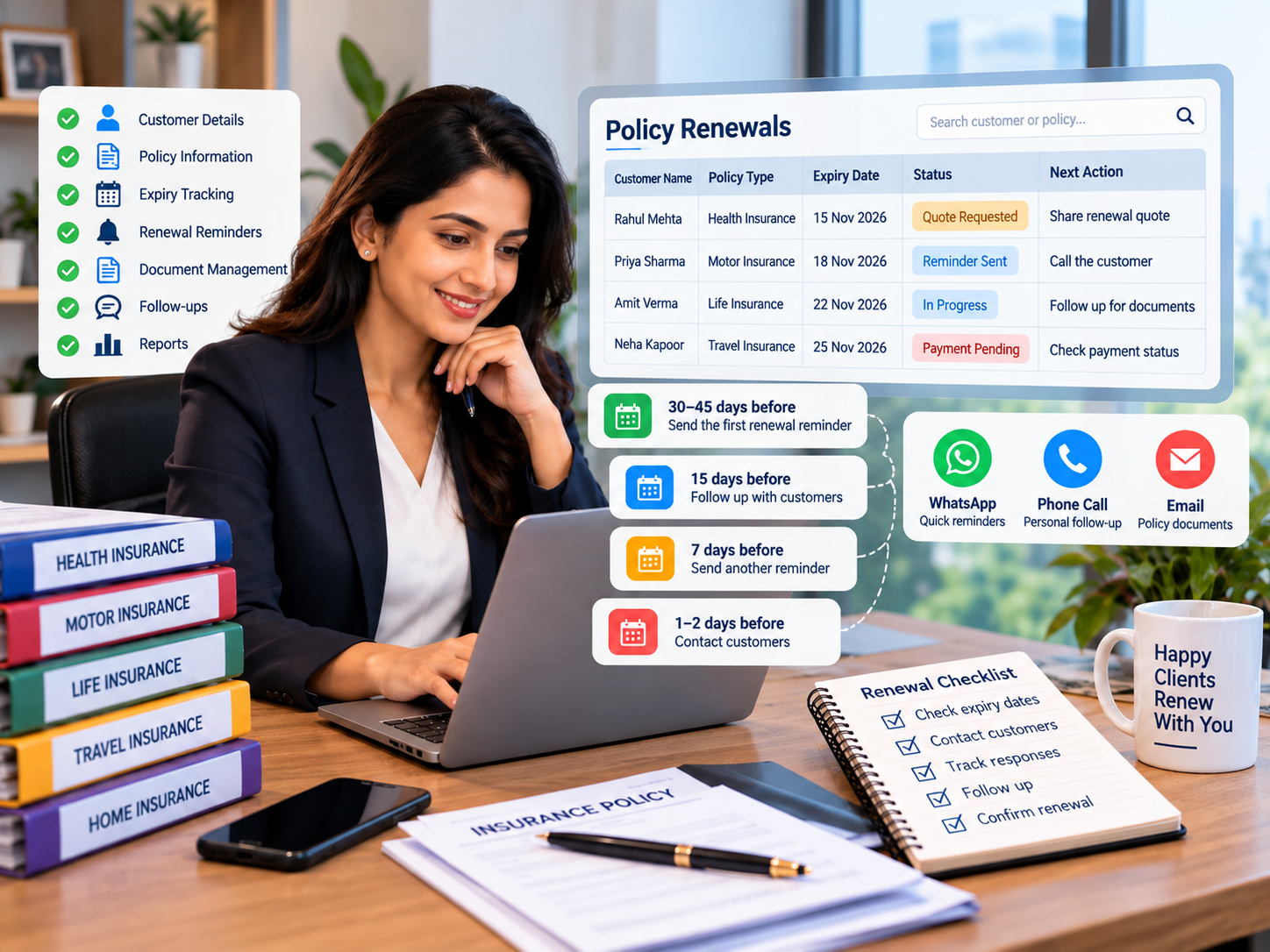
- 30–45 days before: Send the first renewal reminder.
- 15 days before: Follow up with customers who haven't responded.
- 7 days before: Send another reminder.
- 1–2 days before: Contact customers who still haven't confirmed.
- After expiry: Check the status and follow up where needed.
Use this as a starting schedule and adjust it according to the policy type, insurer requirements, and customer needs. Some products may have different renewal procedures or timelines, so always check the applicable policy terms.
Automated insurance renewal reminders can help agents stay consistent without sending every reminder manually.
3. Track Responses, Not Just Reminders
Sending a reminder doesn't mean the renewal is complete. Record what happens after each follow-up.
For example:
- Reminder sent
- Customer contacted
- Documents required
- Payment pending
- Renewed
- Not renewing
- Follow-up required
This makes it easy to see which customers still need attention.
|
Policy expiry date |
Customer response |
Renewal status |
Next action |
|
15 Nov 2026 |
Interested in renewing |
Quote requested |
Share renewal quote |
|
18 Nov 2026 |
No response |
Reminder sent |
Call the customer |
|
22 Nov 2026 |
Documents pending |
In progress |
Follow up for documents |
|
25 Nov 2026 |
Confirmed renewal |
Payment pending |
Check payment status |
4. Use the Right Communication Channel
Different customers prefer different ways to communicate. Use WhatsApp for quick reminders, but consider a phone call when a customer hasn't responded or needs help.
Keep messages specific. Instead of:
"Your policy is expiring. Please renew."
Try:
"Your health insurance policy expires on 15 November. Would you like me to help you with the renewal?"
Insuraa's insurance agent software supports renewal alerts and customer communication, including WhatsApp reminders.
5. Track Policy Expiry Dates Regularly
Policy expiry tracking becomes harder as your customer list grows. Maintain a daily or weekly view of:
- Policies expiring soon
- Customers already contacted
- Renewals still pending
This gives you a clear list of what needs attention instead of relying on memory.
6. Keep Policy Documents Easy to Find
Customers may ask for their policy copy, previous documents, or premium details during renewal.
Store these documents with the relevant customer and policy so you can find them quickly when needed.
Insuraa's insurance policy management system lets agents keep policy documents alongside customer and policy information.
7. Personalize Important Conversations
Automation works well for routine reminders, but some customers need a personal conversation.
If a customer has questions, needs help with documents, or is unsure about renewing, call them instead of sending another automated message.
Automate routine reminders. Handle important conversations personally.
8. Review Unrenewed Policies
Don't let pending renewals disappear from your list.
Keep track of customers who:
- Haven't responded
- Need a callback
- Are waiting for documents
- Are considering their options
- Have delayed payment
Review these policies regularly and follow up based on their status.
9. Measure Renewal Performance
Track a few basic numbers each month:
- Policies due for renewal
- Policies renewed
- Pending renewals
- Missed renewals
- Renewal rate
- Renewals by policy type
These numbers help you see where your renewal process is working and where follow-up needs to improve.
Insurance software for agents can also help track renewal and commission-related information.
10. Move Beyond Excel as You Grow
Excel can work for a small number of policies. As your customer base grows, managing expiry dates, reminders, documents, and follow-ups manually becomes harder.
Insurance management software can bring these tasks into one system, including:
- Customer management
- Policy records
- Renewal tracking
- Automated reminders
- Document management
- Follow-ups
- Claims and commission tracking
- Reports
This means less time switching between spreadsheets, messages, and folders.
A common renewal mistake to avoid
An agent may send a WhatsApp reminder and mark the customer as contacted, then assume the renewal is under control. But the customer might still be waiting for a quote or need help with documents.
A better approach is to record the customer's response, assign the next follow-up, and keep the policy marked as pending until the renewal is confirmed. This prevents a sent reminder from being mistaken for a completed renewal.
A Simple Insurance Renewal Workflow
Follow this basic process for every renewal:
Step 1: Add the customer and policy details.
Step 2: Record the correct expiry date.
Step 3: Start reminders 30–45 days before expiry.
Step 4: Record every response and follow-up.
Step 5: Contact customers who need personal assistance.
Step 6: Update the policy once it's renewed.
Step 7: Review pending and missed renewals every week.
Step 8: Check your renewal performance each month.
Best Practices Checklist for Insurance Agents
Before considering your renewal process complete, make sure you can answer "yes" to these questions:
- Do I have every client's policy expiry date recorded?
- Can I see all upcoming renewals in one place?
- Do I contact clients before their policy expires?
- Do I have a follow-up process for customers who don't respond?
- Can I quickly find policy documents?
- Do I know which renewals are pending?
- Do I track completed renewals?
- Can I measure my renewal rate?
- Am I spending too much time manually sending reminders?
- Can my team access the information they need?
If several answers are "no," your renewal process probably needs more structure.
Conclusion
Start by reviewing the policies due for renewal this month. Check their expiry dates, identify customers who haven't responded, and assign the next follow-up for each pending policy.
If you're spending too much time tracking renewals manually, explore Insuraa's insurance management software to see whether it fits your policy tracking and customer follow-up workflow.
FAQ (Frequently Asked Question)
1. How can I keep track of insurance policies that are expiring soon?
A1: Maintain a list of upcoming expiry dates and review it regularly. Record each customer's response, renewal status, and next follow-up date. Insurance management software can help agents keep these details organized as their client base grows.
2. Can I manage multiple customers' insurance renewals in one place?
A2: Yes. You can use a spreadsheet or dedicated insurance software for agents to organize customer details, policy expiry dates, renewal status, and follow-up notes. A centralized system can make it easier to identify pending renewals without checking multiple files and chats.
3. Does an insurance policy automatically renew when it expires?
A3: Not necessarily. Automatic renewal depends on the policy terms, insurer procedures, and applicable requirements. Agents should confirm the renewal process with the insurer and never assume that coverage continues simply because a reminder was sent.
4. How can insurance agents reduce manual renewal follow-ups?
A4: Use a consistent follow-up schedule, keep renewal records updated, and automate reminders where suitable. Insurance management software such as Insuraa can help agents organize policy information and renewal-related tasks in one place.
5. How do I manage insurance renewals for hundreds of customers?
A5: Keep all customer and policy details in one place. Track expiry dates, renewal status, and the next follow-up for each customer. If manual tracking becomes difficult, insurance management software can help you organize renewals without relying on multiple spreadsheets.
Recent Blogs